New invoice templates & personalisation
Personalise invoices with your logo, watermark, address, terms & conditions, and more, tailored to your business needs. Access new pre-defined invoice templates with flexible customization options.

GST-compliant invoices in seconds
Easily create, print and email professional invoices with TallyPrime. Configure details, add a logo, and personalize them to your needs. Generate GST invoices, export bills, e-Invoices, e-Way bills, and print MSME UDYAM numbers on invoices easily.

Flexible purchase and sales management
Do you follow different sales and purchase cycle? TallyPrime seamlessly adapts to different purchase and sales cycles, whether order-based or direct transactions. Manage sales orders, debit/credit notes, and payments effortlessly while keeping your books up to date with complete flexibility.

Multiple billing format
TallyPrime supports different billing formats to suit your business needs. Whether you deal with products or services, TallyPrime ensures faster, error-free billing with the right format for every transaction.

Multi-currency support
Record invoices, quotations, orders, accept payments and receive bills in foreign currencies. TallyPrime auto calculates forex gains/losses due to currency fluctuations, ensuring accurate financial adjustments.

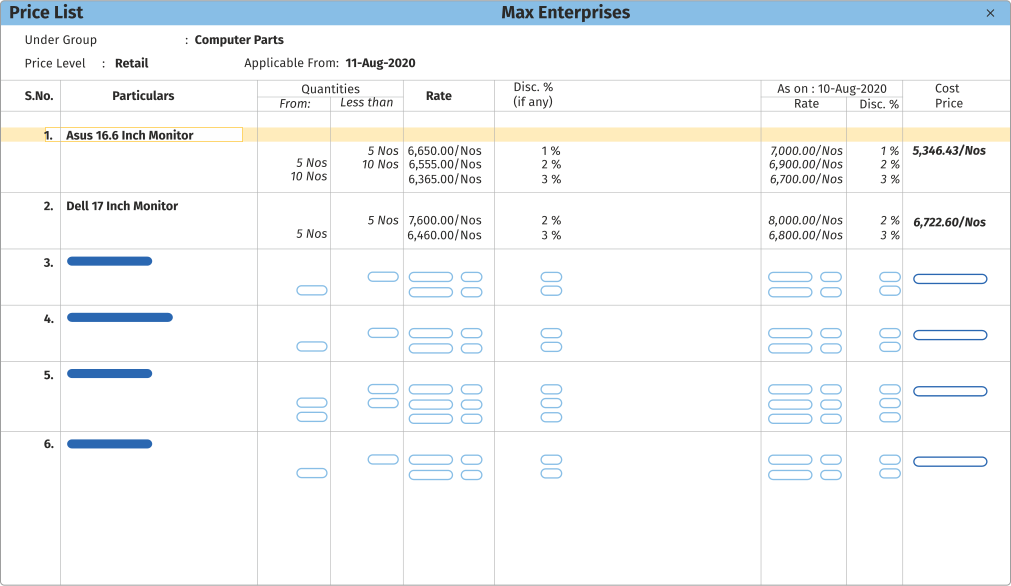
Multiple price levels
Create different price levels for wholesalers, retailers, or customers and assign different price lists with quantity-based rates and discounts. Ensure faster, error-free billing by auto capturing price details with TallyPrime.

Payment QR code and link on invoices
Easily add QR codes and payment links for single invoices or in bulk for multiple invoices.

Multiple addresses for company and ledgers
Create multiple addresses for your company and party ledgers and use them in invoices and reports as required.